Screen, window, or area
Capture a full display, a single window, or a custom region you drag to select — then record with as little friction as possible.
// macOS app;
Record your screen and camera in one confident pass. Spontaneous, clear, and ready to use — so you can get it on the first take.
v1.0.0-rc.1 · macOS 13+



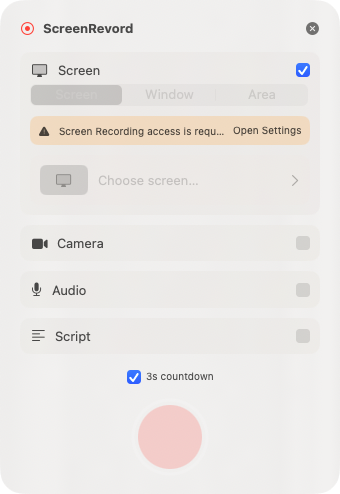
Capture
Independent toggles, floating HUD while recording, and outputs that drop straight into your edit — without fighting the system UI.
Capture a full display, a single window, or a custom region you drag to select — then record with as little friction as possible.
Optional floating camera preview so you can frame yourself while staying invisible to ScreenCaptureKit and screenshots.
Toggle microphone and system/app sound independently. Outputs land as separate files ready for your editor.
Paste a script, scroll manually or auto-scroll while recording, pause with a global hot key, and optionally have it read aloud.
Each take writes a timestamped folder under Movies/First Take with screen, camera, audio, and optional input timeline files.
First Take checks a Sparkle appcast on twistedbrackets.com and offers updates when a new build is published — no App Store required.
Auto update
Installed builds check the appcast below for new versions. Release notes live next to the download so you can see what changed before you update.
Drag-to-Applications DMG for Apple Silicon and Intel Macs running macOS 13 or later.