UI/UX law
// Perception & Gestalt;
Subgrid Alignment
When cards in a grid hold content of different lengths, each card should align its title, body, and actions to a shared set of row tracks owned by the parent grid, using CSS subgrid, instead of letting every card size its own rows from its own content.
Mechanism
Why it happens
A card grid built the ordinary way gives every card its own independent grid: each row's height is set by that one card's own content, so a longer description in one card pushes its price and button lower than the neighbouring cards', even though every card looks fine in isolation. CSS subgrid removes that independence. The parent declares its row tracks once with grid-template-rows, each card spans the full set of those tracks with grid-row: span N, and declares grid-template-rows: subgrid instead of sizing its own rows, so the card's internal rows collapse onto the parent's shared coordinate system. Every row is then sized by the tallest content in that row across all cards, not by any single card alone, so titles align to titles, prices align to prices, and every button lands on one shared baseline, natively, with no fixed heights and no JavaScript measuring anything.
Impact
Why it matters
- Card content pulled from real data (descriptions, prices, plan names) is rarely the same length, so misalignment is the default outcome, not an edge case
- Fixed-height cards or JS-measured row heights break the instant content changes length, on translation, a CMS edit, or a new plan; subgrid recalculates on its own
- A row of buttons or prices that don't line up reads as sloppy at a glance, even when every individual card is well designed on its own
Example
Without vs. with
Starter
For solo makers.
$9/mo
Pro for growing teams
Everything in Starter, plus unlimited projects and priority support.
$29/mo
Business
Advanced controls.
$99/mo
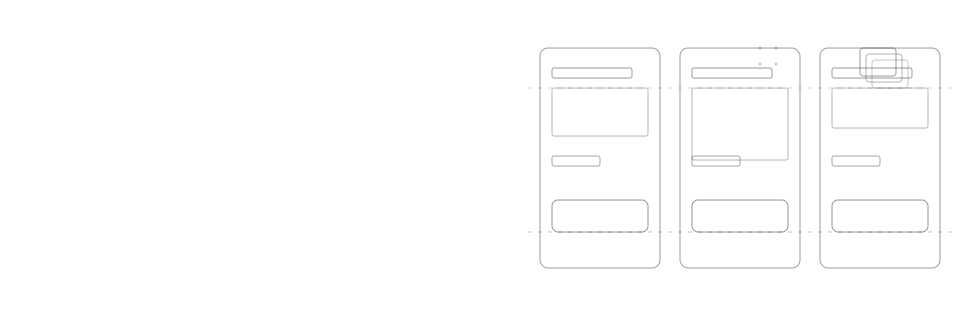
Three pricing cards sit side by side, each with display: grid. Because each card sizes its own rows independently, the middle card's longer description pushes its price and button lower than its neighbours', so nothing in the row lines up.
Starter
For solo makers.
$9/mo
Pro for growing teams
Everything in Starter, plus unlimited projects and priority support.
$29/mo
Business
Advanced controls.
$99/mo
The same three cards span the parent's row tracks with grid-template-rows: subgrid, so each card's title, body, price, and button snap to a shared row. The buttons land on one line regardless of how long any card's description runs.
Checklist
How to apply it
Give the grid parent explicit row tracks with grid-template-rows, sized to the number of internal sections every card shares
Have each card span the full set of parent rows with grid-row: span N and set grid-template-rows: subgrid so it inherits those tracks instead of sizing its own
Place each card's title, body, price, and action into the matching subgrid row so equivalent elements always land in the same row across every card
Verify subgrid support for your target browsers, or add a fallback, before relying on it for anything load-bearing
Recipe
Code example
Where it shows up